Object Explainer
Object Explainer used two main types of camera animation: simple 360-degree rotations for object-focused explanations, and more dynamic camera moves for spaces, architecture, and larger environments.
These are a couple of selected pieces from two full Object Explainer animations.
/
Workflow
/
Workflow for Post-production
(01)
The project was structured to keep the animation at a consistent pace and style. The assembly After Effects template was designed for easy assembly and handoff between designers.
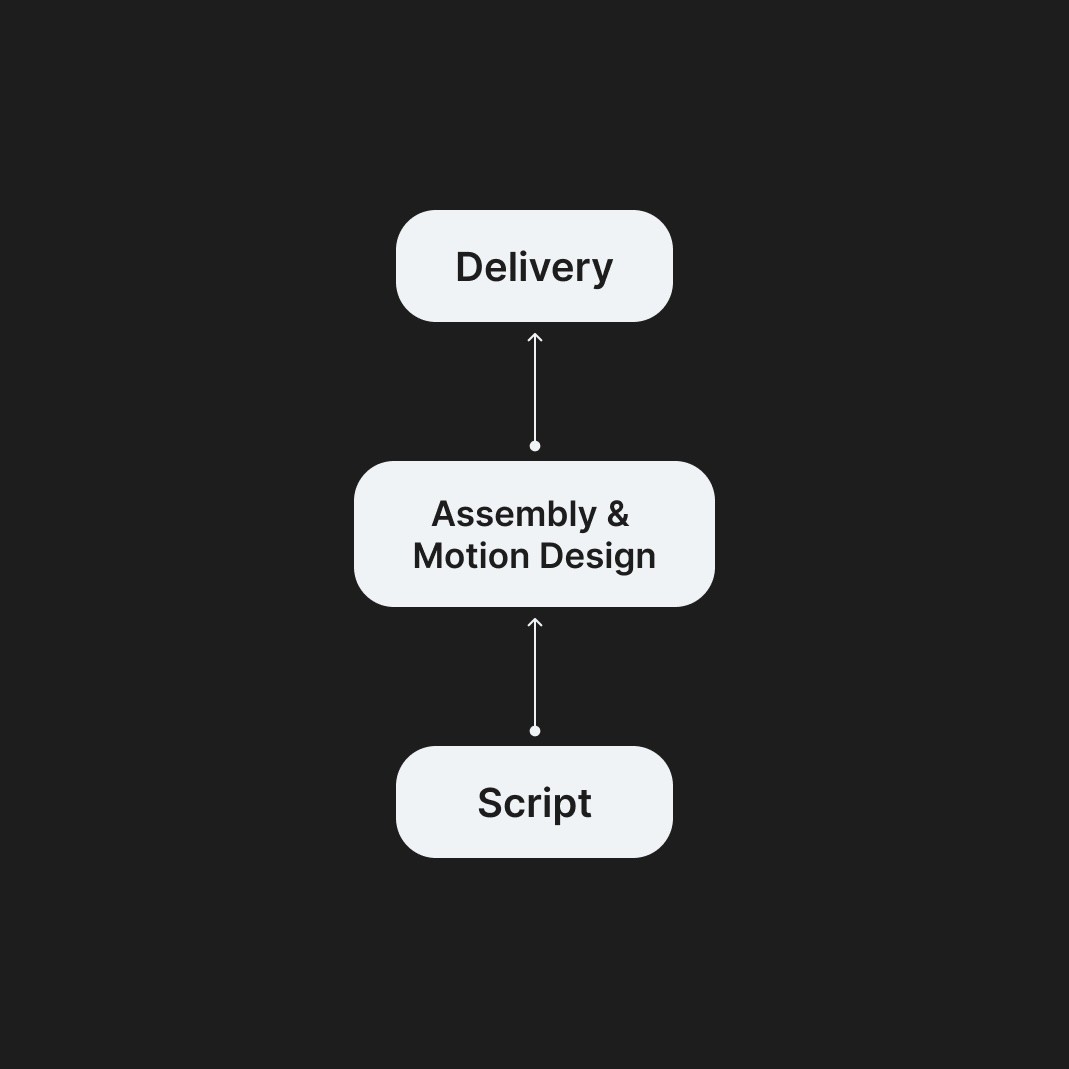
/
After Effects Template
(02)
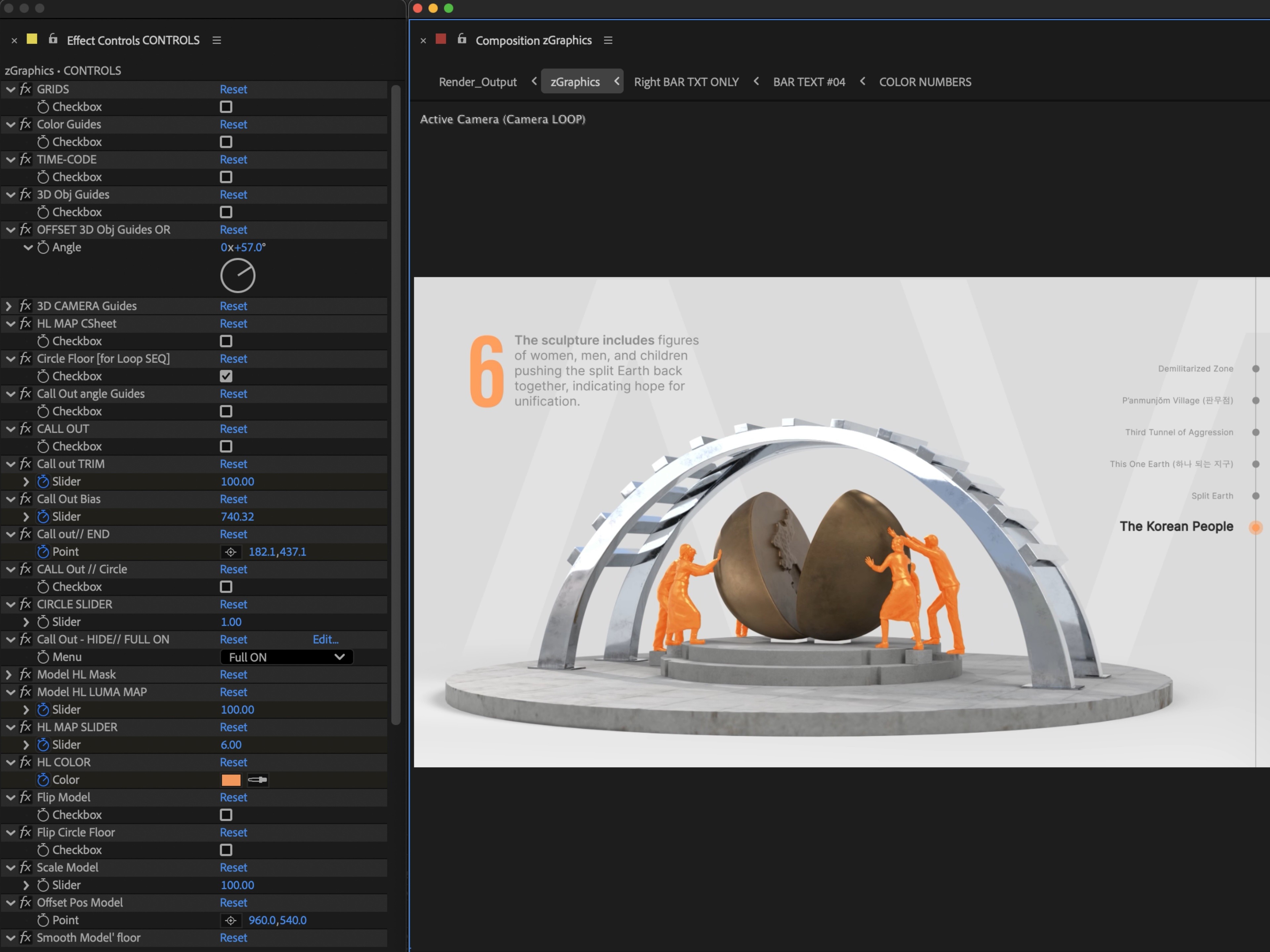
Colors, section numbers, captions, callouts, and visual guides were fully customizable inside the After Effects template. This allowed designers to adapt the same system across different objects, topics, and editorial needs while keeping the visual language consistent.
/
UI to assist Motion Designers
(03)
The After Effects template also included a built-in UI for visual reference to ease the assembly process.